
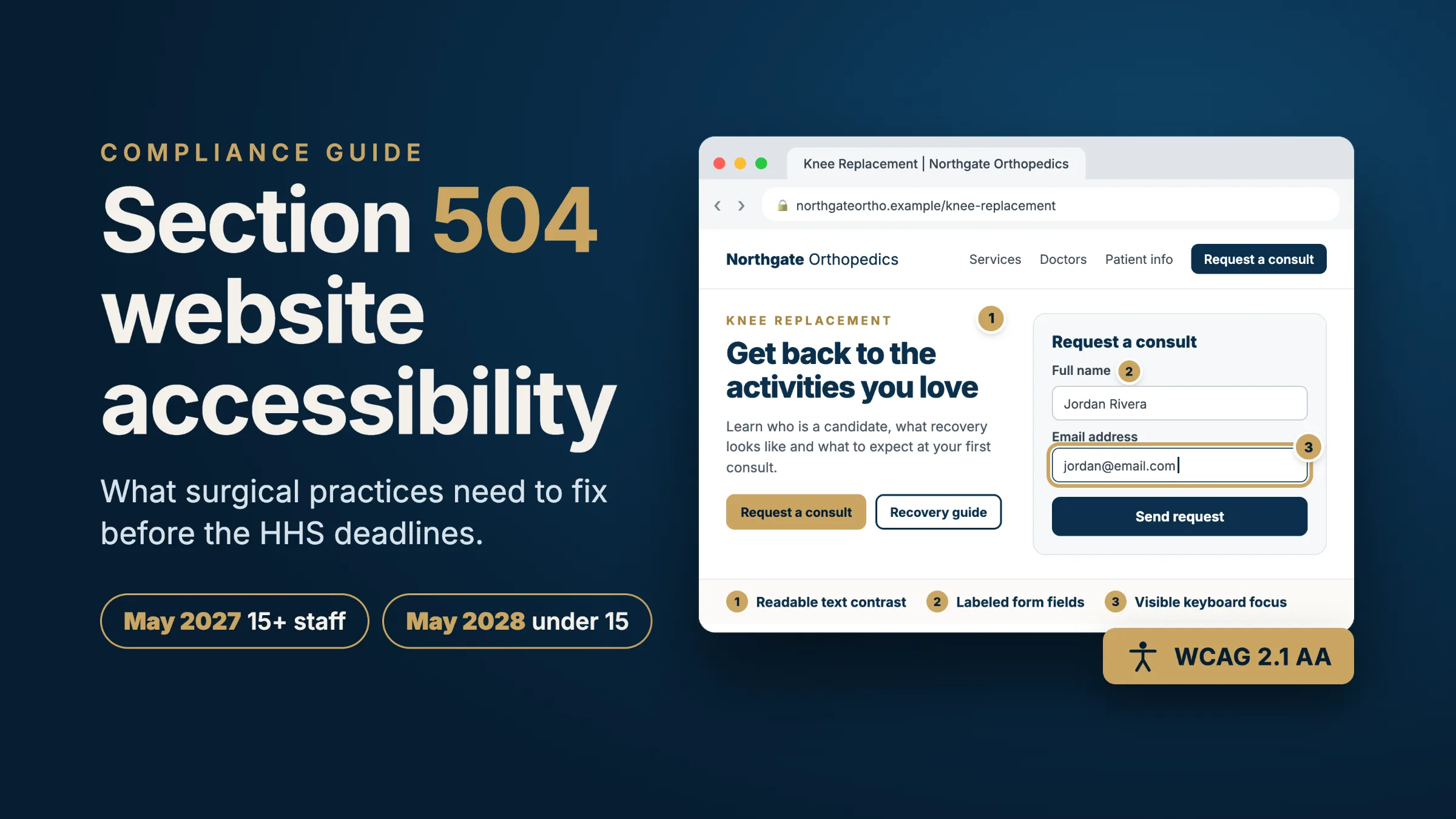
If your practice receives federal financial assistance from HHS, the Section 504 web rule requires your website and mobile apps to meet WCAG 2.1 Level AA. HHS has moved the deadlines to May 11, 2027 for practices with 15 or more employees and May 10, 2028 for smaller ones. Start with the booking path, forms and PDFs.
General information, not legal advice. Whether your practice is covered depends on how it is paid and organized, so confirm with a healthcare attorney. This is a US federal rule. Canadian practices follow provincial accessibility laws, such as Ontario's AODA.
What is the Section 504 web accessibility rule?
It's a federal rule that says covered healthcare organizations can't exclude people with disabilities from their websites and mobile apps. HHS finalized it in 2024 under Section 504 of the Rehabilitation Act. It sets one technical standard, WCAG 2.1 Level AA, for web content and mobile apps a covered practice provides or makes available, including through vendors and other arrangements.
For a surgical practice, that means the public site, the page where patients request a consult, the portal login, forms and downloadable documents. If a patient who uses a screen reader or only a keyboard can't book a consult, that's the problem the rule is aimed at.
The deadlines used to be earlier. On May 11, 2026, HHS published an interim final rule that added one year to each date. The extension took effect May 7, 2026, and HHS took public comments until July 6, 2026. Check the Federal Register notice for any later change before you plan around the dates. The primary source is the HHS interim final rule in the Federal Register.
Does Section 504 apply to your surgical practice?
It applies if your practice is a recipient of federal financial assistance from HHS. That's broader than people expect. HHS describes covered recipients as ranging from large hospital systems to small clinics. Some payments, such as certain Medicaid payments, can make a private practice a recipient, and Medicare can too depending on how the payments are classified.
That is the part you shouldn't guess at. Ask your healthcare attorney or compliance lead one direct question: do any of our payments or arrangements make us a recipient of HHS financial assistance? If the answer is yes, the rule covers your digital presence. If the answer is "it depends," plan for compliance anyway. Fixing accessibility also makes the site easier for every patient to use.
Group practices, surgery centers affiliated with a hospital system and practices that share a portal with a hospital should also check whether the hospital's vendor contracts already require WCAG 2.1 AA. Some of the work may be covered by someone else's project.
What are the new Section 504 deadlines?
Practices with 15 or more employees have until May 11, 2027. Practices with fewer than 15 employees have until May 10, 2028. Both dates are one year later than the original rule set, according to the law firm summary from Feldesman and the Federal Register notice.
| Practice size | Original deadline | New deadline |
|---|---|---|
| 15 or more employees | May 11, 2026 | May 11, 2027 |
| Fewer than 15 employees | May 10, 2027 | May 10, 2028 |
A year sounds like a long time. It isn't, once you list what has to be reviewed: the site, any booking or form tool, the portal, PDFs, videos and the vendors behind each of them.
What does WCAG 2.1 AA mean on a surgeon's website?
It means the site passes a published checklist of accessibility criteria set by the W3C. The standard is built on four ideas: content has to be perceivable, operable and understandable, and it has to be built so assistive tools can read it. You can read the full list in the W3C WCAG 2.1 standard.
In practice, these are the items that surface most often on practice sites:
- Text contrast. Body text needs a contrast ratio of at least 4.5 to 1 against its background. Light gray text on white and white text over a photo are the usual failures.
- Image descriptions. Meaningful images need text alternatives. Decorative images should be marked so a screen reader skips them.
- Keyboard use. Every menu, form and button has to work with the Tab, Enter and arrow keys, with a visible focus outline.
- Form labels and errors. Each field needs a real label, and errors have to say what went wrong in text.
- Headings and structure. One H1, headings in order, and links that say where they go. "Click here" fails.
- Video and audio. Captions for videos with speech, and a transcript where it helps.
- Text resizing. The page still works when a visitor zooms the text to 200 percent.
Which parts of a surgical practice's digital presence carry the most risk?
The parts patients use to take action: booking, forms, the portal, payments and documents. Marketing pages matter too, but a patient can usually still call the front desk when a brochure page is clumsy. They can't when the only way to request a consult is a form that traps keyboard users.
| Area | Typical problem | What to do |
|---|---|---|
| Consult request form or booking widget | Missing labels, focus trapped in an embedded frame, errors shown by color only | Test with keyboard only. Ask the vendor for a WCAG 2.1 AA conformance statement |
| Patient portal login | Vendor-built screens you don't control | Put the requirement in the vendor contract and keep the response in writing |
| Intake and consent PDFs | Scanned images with no text, no tags, forms that can't be filled with a screen reader | Rebuild as tagged PDFs or as web forms |
| Before-and-after galleries | No image descriptions, sliders that need a mouse | Describe each result in plain text and add keyboard controls. Keep photo consent and advertising rules in view |
| Procedure videos | No captions | Add captions and a short transcript |
| Chat widgets and pop-ups | Cover content, can't be closed by keyboard | Make sure they can be closed and don't block the page |
| Online payments | Card forms with unlabeled fields | Check the payment vendor's accessibility documentation |
Start with the path a new patient takes: land on a procedure page, read it, request a consult, get a confirmation. If that path works with a keyboard and a screen reader, you've covered the part most likely to be tested first.
What content is exempt from the rule?
A few narrow categories don't have to meet WCAG 2.1 AA. They include archived web content that is clearly labeled and no longer updated, preexisting documents that aren't used to run a program or service, content posted by third parties you have no arrangement with, and individualized password-protected documents, such as a lab result delivered to one patient. Summaries of the rule, such as the one from Accessible.org, list these.
The exceptions are narrow. Anything you actively use to deliver care or take a booking has to conform. And even excepted content may need to be made accessible when a person with a disability asks for it, under your existing Section 504 duties. Don't build a plan around an exception until your attorney has read the rule text for your specific content.
Is there an undue burden defense?
Yes, but it's not a plan. The rule doesn't require actions that would fundamentally alter a service or impose undue financial and administrative burdens. The head of the practice or a designee has to make that call considering all available resources, and has to document the reasons in writing. HHS has also said these defenses don't solve litigation risk, and it expects them to be used widely.
If you ever need to use the defense for one item, you'll want a record that shows what you tested, what it would cost to fix and what you did instead. That is another reason to start a simple audit file today.
What should a practice do in the next 12 months?
Treat it like any other project with a deadline: inventory, test, fix in order of patient impact, and keep records. Here's a workable order.
- List every digital touchpoint. The website, booking or form tools, portal, payment pages, apps, videos and downloadable PDFs. Note who built or hosts each one.
- Ask each vendor for written proof. A WCAG 2.1 AA conformance report or statement, plus their remediation plan. Put the requirement into new contracts and renewals.
- Test the patient path by hand. Use only the keyboard. Then try a screen reader such as the one built into your computer. Automated checkers help find obvious errors, but they can't judge whether a page makes sense, so don't stop there.
- Fix the high-impact items first. Forms, booking, portal login, contrast, headings, captions and intake PDFs.
- Name one owner. Someone in the practice who is responsible for Section 504 compliance, and a way for a patient to report a problem.
- Train the people who publish. The person uploading a PDF or a video each week can undo a month of fixes in an afternoon.
- Keep a record. Audit dates, fixes, vendor documents and training. If you're ever asked, this is your evidence.
If your site was built recently on a modern framework, many of the technical basics may already be in place. Older templates and heavily customized page builders tend to need more work. If you're also reviewing the site for conversion and clarity, our website design for surgeons page and our post on medical website mistakes cover the other fixes worth bundling into the same project.
Do accessibility overlays and plugins solve this?
Not on their own. An overlay is a script that adds a toolbar and tries to patch problems in the browser. In our view, that doesn't replace fixing the page source, the form labels and the documents behind it. If a plugin helps with text size or contrast controls, fine, but it doesn't make the underlying site conform, and it isn't proof of compliance. Test the site as a patient would.
How does this connect to your other compliance work?
Accessibility sits next to privacy and advertising rules, not above them. The forms and tools you fix for accessibility are often the same ones that handle patient details, so review them for privacy at the same time. Our guide to HIPAA-compliant marketing for surgeons covers tracking tools and forms. And keep before-and-after photo consent and your state or provincial advertising rules in view when you add image descriptions to a gallery.
Frequently asked questions
What is the Section 504 website accessibility deadline for surgeons?
For practices that are covered, the deadline is May 11, 2027 if you have 15 or more employees and May 10, 2028 if you have fewer than 15. HHS pushed both dates back one year with an interim final rule published on May 11, 2026.
Does Section 504 apply to private surgical practices?
It can. The rule applies to recipients of federal financial assistance from HHS, and a private practice may count if it receives certain Medicaid or Medicare payments. Whether your payments qualify depends on the program, so confirm with a healthcare attorney.
What accessibility standard does the HHS rule require?
WCAG 2.1 Level AA, published by the W3C in 2018. It covers websites and mobile apps that a covered practice provides or makes available, including through vendors.
Do accessibility overlay widgets make a surgeon website compliant?
Not by themselves. A widget sits on top of the page and does not fix the underlying code, labels or documents. Treat it as an extra, test the page with a keyboard, and fix the source.
What should a practice fix first?
The patient path: the appointment request form or booking tool, the patient portal login, intake PDFs and any video. Those are used every day, so they are the first places a complaint or audit would look.
The bottom line
Section 504 gives most covered practices until 2027 or 2028, which is enough time to do this properly and not enough to start next year. Inventory your tools, get vendor proof in writing, fix the patient path first and keep records. Not sure where your site stands? Request a free practice growth audit and we'll flag the obvious barriers on your key pages.
General information, not legal or medical advice. Rules change, so confirm anything compliance-related with your own advisor and your state board or provincial College.

